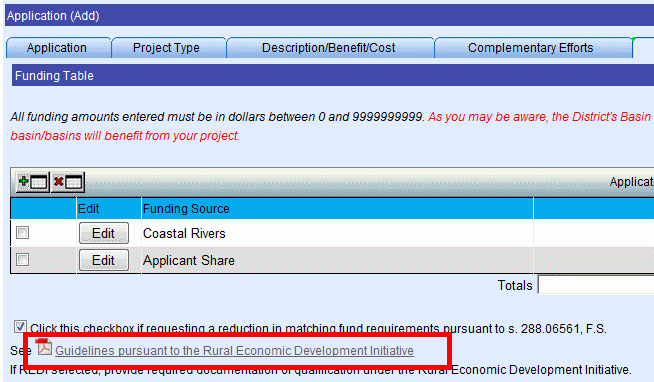
The Funding Tab, shown below, offers the following options:
Request Reduction in Matching Funds Requirement
At least two funding sources must be added before submitting this application to the District:
Applicants Share
Basin
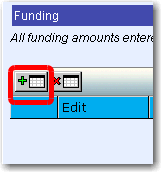
To add a Funding Source, click the Add button:
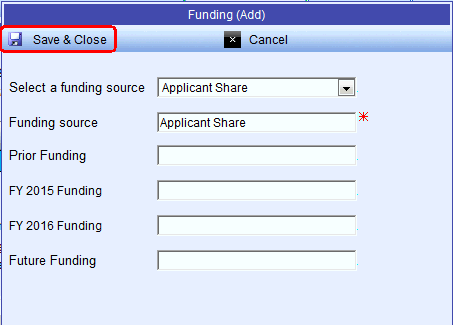
The Funding (Add) window opens. Funding source defaults to Applicant Share, which is required. Enter the funding amounts, then click the Save & Close button.
The newly added Funding Source displays:
To cancel any changes, click the Cancel button:

To edit a Funding Source, click the Edit button:

The Funding (Edit) window opens. After making any edits, click the Save & Close button.
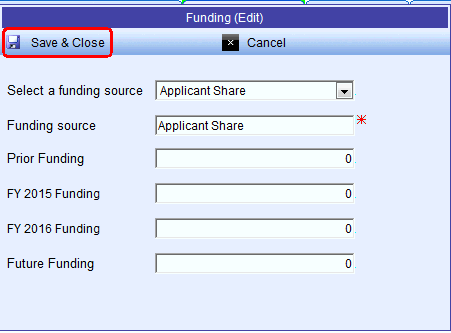
The newly edited Funding Source displays:

To remove a Funding Source, select the Funding Source as shown below:

Then click the Remove button:
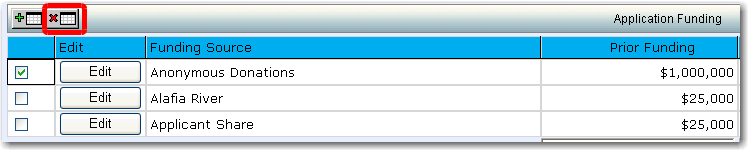
The newly updated Application Funding list displays:

To Request Reduction in Matching Funds Requirement, click the checkbox shown below:
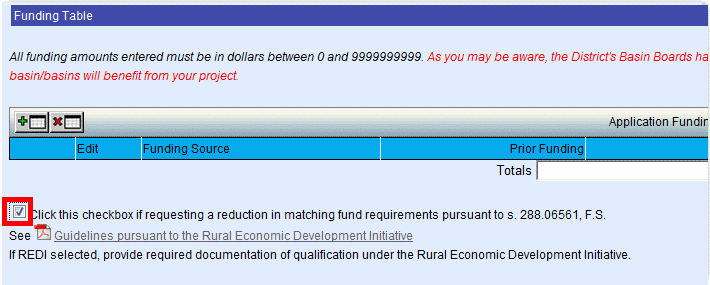
To view the Guidelines pursuant to the Rural Economic Development Initiative, click the link shown below: